

User Roles
BlogSync has three user roles with different levels of access: OwnerFull access to all features, including billing management and team management. Admin
Document conversion, platform management, and user management. Member
Document conversion and viewing only. Cannot manage users or settings.
Permissions
Inviting Team Members
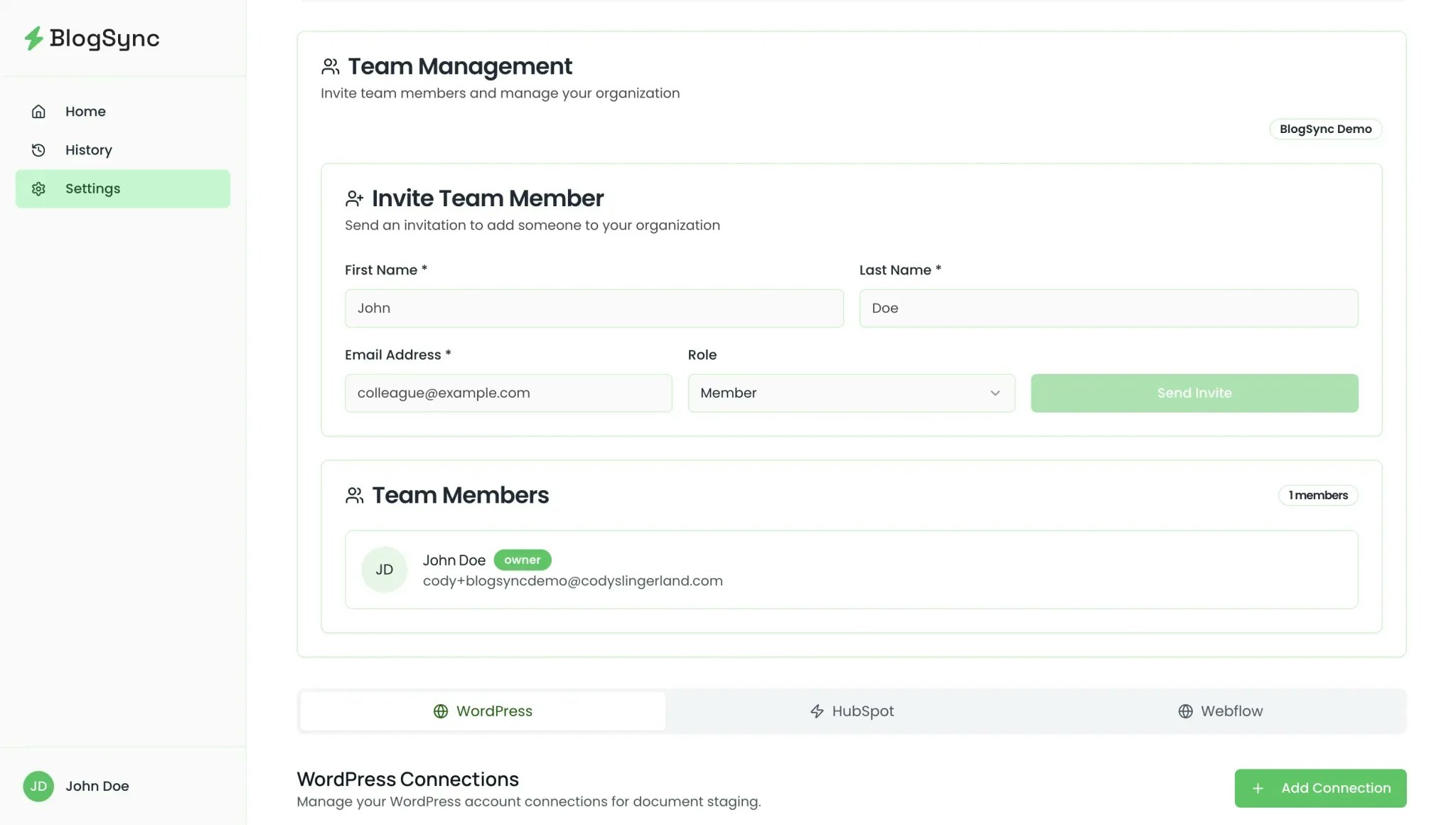
- Access Team Management Settings – Go to Settings and scroll down to Team Management
- Send Invitations – Enter team member name and email addresses
- Assign Roles – Choose from Member or Admin (You can have only one “Owner” role)
- Track Status – Monitor invitation acceptance under Pending Invitations
Managing Team Members
Change a user’s role:Go to Settings → scroll to Team Management → find the user → click their role dropdown → select new role Remove a user:
Go to Team → find the user → click “Remove” → confirm Note: Removing a user immediately revokes their access to BlogSync.